Observations, pictures, and sketches highlight the transition of moving to the nations's Capitol after 30 years of living in the Midwest. A clash in cultures? Maybe not!
Showing posts with label cable. Show all posts
Sunday, November 15, 2020
Apple TV, Verizon Cable and Internet Out
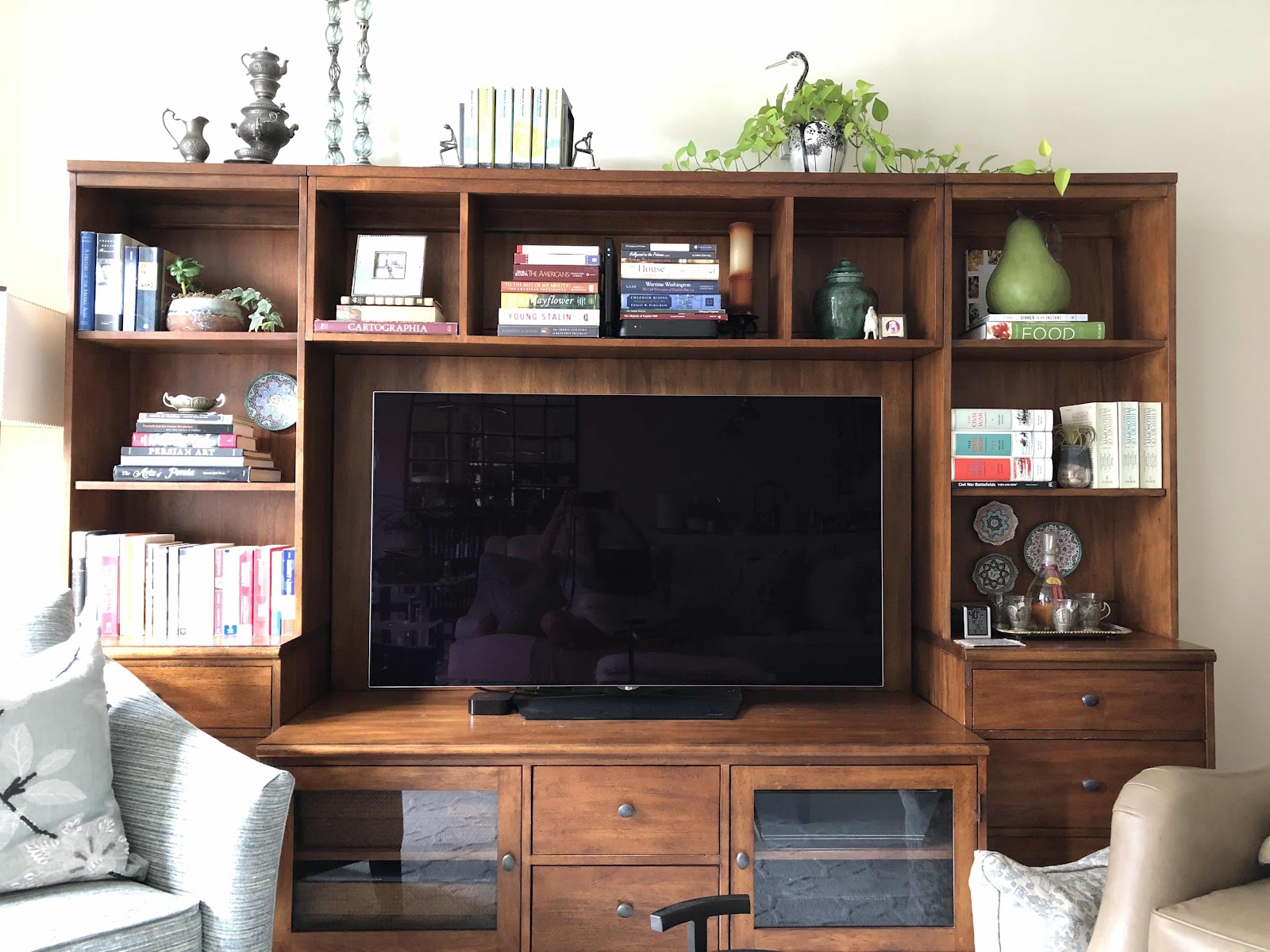
It was around nine PM last night. We were watching cable tv and changed the programming to Apple TV so we could watch BritBox. There was no signal. It’s happened before but always starts up. This time was different. I noticed that the Apple TV light was not on the little black box. So we made sure all the cords were tight, etc. Still nothing. Then I went to the Verizon app to see if a diagnosis could be made - as now both the internet and the cable were out. I get so frustrated when these things happen because the only way to get to the back of the TV and the wall plate connections is to remove everything on the bookshelves and pull the unit away from the wall. This, even though there is a power strip at the bottom of the cabinet where everything is plugged in because rebooting isn’t the only solution. The instructions were to check the cable from the router to the wall. I tried this maneuver several times and nothing happened. We then realized that a plug was dangling from the back of the cabinet and I put it back in to the outlet. How it got there one only knows! I was dusting earlier in the day, but can’t believe that would have made a difference. Besides, we were watching tv and using the internet after that. After fooling around with this for two hours it all started working again. We put everything back including the furniture. We watched a bit of Apple TV but the light keeps going out. When I unplug the power cord and plug it back in the light goes back on. It’s off again as I write. That means more wasted time investigating why this is happening. We got the Apple TV and the LG TV about five years ago. I can’t believe it would quit working, but that would be just my luck.


Tuesday, April 5, 2016
Updating Comcast Xfinity Equipment is NOT a Good Idea
For more reasons than I care to get in to today, it has been a royal pain since we switched out our seven year old Comcast equipment. It's been two weeks, and the cable television upgrade has been a nightmare. Someone has been hijacking our cable box and ordering movies off it. As for the Internet? It was cutting in and out a lot, but finally stabilized. However, when I was having one of several "chats" last week, the Internet mysteriously went dead when the conversation was getting no where. Aside from all this, not realizing what changing a router does didn't hit me until I tried to print some tickets we purchased for our guests we are hoping to entertain over the next few days. I knew I needed to change the passcode on the many wireless devices we have, but forgot about the printers. The first message I received was that the printer was offline. I tried again - same thing. I tried from my iPad and my laptop. No luck. I unplugged and replugged it. No good. I tried to just copy a page, and the printer worked fine - so I knew it wasn't the equipment. After several attempts it dawned on me ... We changed the **** equipment. I tried to remember how to enter the blasted access code and couldn't. Finally I stumbled upon the network screen on the printer, located our WIFI signal, and entered to code. This printer is so old that the letters kept sticking and it took forever! So the iPad finally could print successfully! But the laptop was still stuck in error mode. So I left it alone for the night and started back at it this morning, looking at printer settings and figuring I would need to enter the blasted code there. After messing around with that for too long, it finally worked. I am not very techy and get really frustrated with this - something any ten year old can figure out. I was planning to call about my retirement paperwork at the office of personnel management and register another complaint with Comcast, but just didn't feel like it after wasting half - no - most of the day.
Sunday, March 20, 2016
Xfinity, Remote Controls, and Cable Internet Updates
Our universal remote control was dying. It was seven years old and would no longer hold a charge. I ordered very expensive replacement batteries. They worked, but then couldn't get recharged. Luckily I had the Xfinity remote control on my iPad. So as long as we could turn on the tv with the Sony remote, we could use that to change the channels - but we couldn't navigate the DVR. At the same time we received a notice in the mail from Xfinity, have seen several commercials, and the voice remote sounded appealing. Since we no longer require a universal remote for the now non existent subwoofer, surround sound, or VCR, we decided to take a trip to the new Xfinity store in Brookland and see if we could get a tech out to program our tv with a new remote. While there, we scheduled an appointment for a visit to update the system for yesterday. Wow - what a difference. I didn't want to change any of the current programs and services, just a swap out. Based on a very limited experience since the installation, which went very well, we are really happy we finally made the switch. I always dreaded any visit from the then Comcast - never on time, took forever, and never sure if it worked once the tech left. But we are more savvy about the Internet, and pass codes, and cable. So now we can record more than two things at the same time, talk to the remote control, and the search function and visual selections are more appealing. Sometimes closed captioned is a good idea, and we can quickly navigate to adjust all this stuff. Initially the Internet kept cutting out so we are hoping that gets under control. So far, so good. Now I'm waiting for the bill. The woman who helped us at the Xfinity store advised us to call the loyalty program folks at Xfinity and request a discount for using cable for ten years. We may need to do just that. Now, does anyone know how to wirelessly connect my iPad to the TV?
Thursday, February 4, 2016
Comcast Xfinity Equipment Return
What do you do on the first day after retirement? Go to the cable company of course to return equipment. It is an ugly business, but has to be done. The blizzard must have affected the cable reception in one of the apartments. We only had basic service there anyway and were considering canceling it for the last few months. So that was a good reason to go ahead and save at least twenty dollars a month for something we never used. But that meant disassembling existing connections - always a challenge in our house. So last week we pulled the tv out and scooted the cabinet away from the wall to get behind all the junk and disconnect the wires. For whatever reason we were reminded by the service representative that we had another whole set of junk in a never opened box - so technically we had two sets of equipment to return. Luckily I was able to find the box tucked away inside a storage space. Heaven help us if we couldn't find that thing. So after lunch we made our way down north Capitol street, past Catholic university, to a very strange location under and overpass. It didn't take very long, and it was an interesting ride. My husband is relieved to get rid of it all and everything looks so different to me now! I can see a lot of future blogs and stories about this city we live in. What a difference a day makes!
Subscribe to:
Posts (Atom)