Showing posts with label Printer. Show all posts

Friday, January 28, 2022

HP Printer Instant Ink Chat

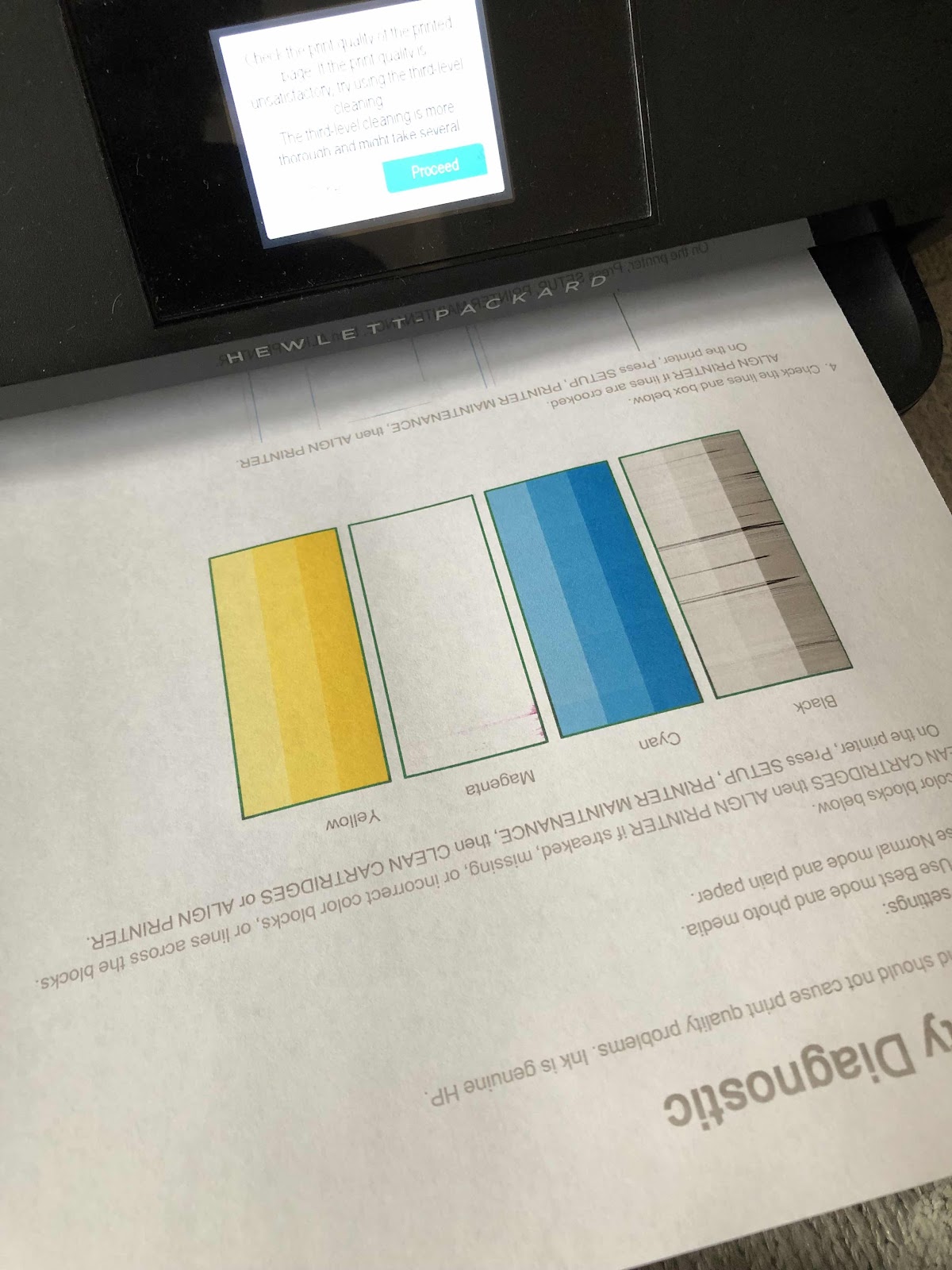
I’ve always had HP printers. Currently it’s an Envy printer that is at least 5-6 years old if not more. I used to use it a lot to print my digital pet portraits and showcase them at the Wagtime shop on Capitol Hill. I also signed up for instant ink. At a certain dollar amount every month ink cartridges are sent directly to you when the sensors show that they are running low. Then you send back the user cartridges for a recycle program. It worked very well for a nominal fee. Since I don’t print much any more I changed the amount of printed pages to about ten per month for an even smaller fee. But I haven’t changed the cartridges since we moved three years ago. The printed pages are now starting to get grey and the ink cartridges need to be exchanged - but the website shows that I still had plenty of ink. So I started a chat with HP a and asked them if I could get some replacement cartridges. Before that could be done they insisted that I try to clean the printer heads 3-5 times. The test pages were just as lousy as the printed pages. Without a lot of hassle they said they would replace both the color and black cartridges free of charge. Now I am waiting for them to arrive. It’s a good thing I don’t need to use the printer for anything and the print is still barely visible if I had to. All in all it was a no brainer chat. I like those the best. 


Saturday, September 10, 2016

HP Envy 5660 e All-In-One Set Up - How Things Have Changed!

My printer bit the dust after about five years. I tried everything and couldn't get the cartridges to align and the print jobs had major streaks. I need my printer primarily to make 8x10 copies of my digital art pet portraits to display at the Wagtime shop and occasionally to make copies of documents. I was also having trouble getting it to print from my laptop, and copying any black and white documents. I've never had anything but HP printers, so I did my homework and read the reviews about the latest HP printers available. I had an idea of what I wanted, so we headed out to Best Buy in Alexandria. I needed to see the printers rather than order on line, and have my questions answered too. It came down to one of the HP ENVY models. They were much cheaper than any of the printers I have ever owned. The drawbacks were two print cartridges rather than four, and the photo tray could not be size adjusted. Other than that, I didn't need a document feeder, the color touch screen display, and any increase in speed would be appreciated. After talking to the sales rep, I decided to go with the ENVY 5660, and it was a $60 discount. I always dread setting up equipment based on past experiences. But either I have become sufficiently knowledgeable (which I doubt) or the products and the systems have simply become so much easier to work with. No longer are CD's required - just smart phones, iPads, and apps. Nothing makes you feel better than a "congratulations" page to say the set up is complete. But only until I actually printed something from all my devices did it matter. After setting up my iPhone and iPad, I had to tackle the dreaded laptop. And to my surprise it was a snap. I saved the original box until I am certain it works properly. In the meantime I need to figure out how to dispose of the old printer and leftover very expensive ink cartridges. I understand both Best Buy and Staples have recycling programs. I guess that's something we will do next week. 


Thursday, September 8, 2016

HP Photosmart Printer Bit the Dust

When we first moved to DC ten years ago, I had to get a new printer. I remember driving out to some place in Virginia and getting an HP Photosmart printer because back in the day I would print a lot of personal photos. Plus it was nice to have FAX and scanning capability. A few years later, that one needed to be replaced and we got an all in one Photosmart printer that also required four ink cartridges. Now we use it primarily for my digital artwork and it takes FOREVER to print one page. I have a gallery wall at the Wagtime shop and I need the printer to make 8x10 photos that I mount on foam board. Yesterday I was trying to get a bit organized and print up the latest batch of pet portraits. The first one went without a hitch. Then I tried to make my business cards and they looked dreadful. I checked the ink and replaced a couple cartridges. I tried again. No luck. I cleaned the cartridges and ran a quality report. Terrible! I tried to align the cartridges and it failed the test. I turned it off an on, and cleaned the cartridges again. Nothing. It would get a little better, then scratchy again. I changed the black ink cartridge. Still nothing. After messing around with this for a couple of hours, I rechecked the website to see what else I could do. I wasn't about to change the print headers, or whatever they are - it would be easier to just replace the printer. Unfortunately I still have a few unopened and very expensive ink cartridges for this printer. So I spent the rest of the day looking at the newest HP printers available today and planned to get a replacement before the weekend. I also wondered if I should start sending the pet portrait images to a printing place rather than doing it myself. But then we wouldn't have the printer when we really needed it to print something out or make copies of other things. I'm hoping I can get a deal being that the school year just started. That will be the next story.